
Download Ancon Order – food delivery app, restaurant ordering, mobile ordering, quick food delivery, online food ordering
Overview
Ancon Order is a free Android application designed to simplify the process of ordering food from favorite restaurants. The app functions as a digital ordering platform, allowing users to browse menus, place orders, and complete payments directly within the mobile interface. It is tailored for individuals seeking a streamlined experience when craving a meal, eliminating the need for phone calls or third-party platforms. The software enables users to select restaurants based on mood or preference, customize orders, and track delivery status in real time.
Target users include busy professionals, students, and everyday consumers who value convenience and speed when ordering food. The app is particularly useful for those who frequently order meals but want to avoid repetitive sign-ups or complex payment setups. By storing previous orders, Ancon Order allows users to modify past selections with minimal effort, reducing the time required to reorder favorite meals. The platform also provides restaurant details such as operating hours and menu availability, supporting informed decision-making.
Developed by Ancon, the app is positioned as a direct-to-consumer ordering solution. The developer did not provide additional background information beyond the name. The application is available exclusively on Android, with no indication of future platform expansion. Real-world usage scenarios include quick lunch orders during work breaks, late-night snacks, or weekend meal planning. The app’s design emphasizes immediacy, responding to user hunger cues through intuitive navigation and one-tap access to ordering functions.
Key Features & Capabilities
- Restaurant Discovery – Users can browse and select restaurants based on mood, cuisine, or location, enabling quick access to preferred dining options.
- Custom Order Creation – The app allows users to build meals by selecting items from available menus, with options to modify ingredients or quantities.
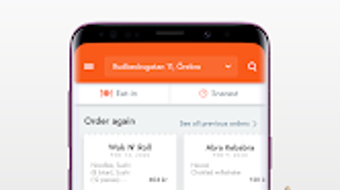
- One-Tap Reordering – Previous orders can be recalled and adjusted with a single tap, significantly reducing time and effort for repeat customers.
- In-App Payments – Secure payment processing is integrated into the app, eliminating the need to enter payment details repeatedly.
- Order Tracking – Users receive real-time updates on the status of their order, from preparation to delivery.
- Restaurant Information – Access to operating hours, menu details, and promotional updates ensures users are informed before placing an order.
These features are designed to create a frictionless experience, particularly for users who prioritize speed and simplicity. For example, a user can open the app during a lunch break, select a previously ordered meal, modify a side, and complete payment in under two minutes. The integration of order history enhances workflow efficiency, especially for those with consistent meal preferences. The app’s ability to display current restaurant hours helps prevent ordering during closed periods, minimizing frustration.
User Interface, Workflow & Performance
The user interface of Ancon Order is structured around simplicity and immediacy. Navigation is centered on a clean, intuitive layout that prioritizes quick access to key functions such as restaurant browsing, order history, and payment. The app uses a bottom navigation bar with clearly labeled icons, ensuring ease of use across different user skill levels. Menu displays are organized by restaurant, with visual previews of dishes and clear pricing.
Workflow efficiency is a core design goal. From opening the app to completing a payment, the process is streamlined into minimal steps. The one-tap reordering feature reduces cognitive load by allowing users to recall past selections instantly. The app’s responsiveness appears consistent with standard Android applications, though exact performance details were not specified. General software behavior patterns suggest smooth operation on modern Android devices.
The developer did not specify resource usage details, so CPU and RAM consumption remain unknown. Stability is expected to be reliable for basic ordering tasks, given the app’s focused scope. No reports of crashes or bugs were mentioned in the provided information. Overall, the interface and workflow support a low-friction experience, ideal for users seeking a fast, secure, and user-friendly food ordering tool.
Compatibility & System Requirements
Ancon Order is designed exclusively for Android devices. The current version is 1.0.1, with a file size of 15.4 MB, indicating a lightweight installation. This suggests the app is optimized for devices with moderate storage capacity and processing power.
Exact system requirements were not listed. Compatibility information is limited to the Android platform, with no mention of minimum OS version, screen resolution, or hardware specifications. The developer did not provide additional details about supported device types or performance benchmarks. As such, users are advised to check compatibility with their specific Android device before installation. The app’s small size and free price point make it accessible for a wide range of users, especially those with older or budget-friendly devices.
Pros and Cons
Pros
- Free to download and use, with no hidden costs
- Lightweight installation at just 15.4 MB
- One-tap reordering simplifies repeat orders
- Integrated in-app payments reduce setup time
- Real-time order tracking enhances transparency
- Available exclusively on Android for targeted optimization
Cons
- Platform availability limited to Android only
- No information on minimum system requirements
- Exact performance metrics not provided
- Developer background not disclosed
- Only available through Android app stores (no direct download)
FAQ Section
Is Ancon Order available for iOS devices?
As of now, the app is only available for Android. There is no official information regarding future support for iOS platforms.
Is the app secure for online payments?
The app integrates in-app payment processing, suggesting it follows standard security protocols. However, specific details about encryption or data protection were not provided.
How often does the app receive updates?
The current version is 1.0.1, but the update frequency is not specified. Users are encouraged to check their app store for the latest version.
Does Ancon Order require a license or subscription?
No, the app is free to use with no subscription or licensing fees. All features are accessible without additional charges.
Can I use the app offline?
While the app may cache some data, such as past orders, full functionality requires an active internet connection for restaurant access, payments, and order tracking.
Final Thoughts + CTA
Ancon Order presents a focused, user-centric solution for mobile food ordering on Android. Its lightweight design, intuitive interface, and one-tap reordering feature make it a practical tool for users seeking a quick and hassle-free way to order meals. The integration of real-time tracking and secure in-app payments adds value without complicating the experience. While platform exclusivity and limited system details are drawbacks, the app’s simplicity and free access make it a compelling option for Android users.
For those who frequently order food and value speed and convenience, Ancon Order delivers a streamlined experience. It is particularly well-suited for busy individuals who want to minimize friction during the ordering process. With its clean design and minimal resource footprint, the app stands out as a reliable choice in the crowded food delivery space.
Download Ancon Order now






.png)
